
Soompler
The ARA 2 sampler that chops, plays and prints right on your clip.
…
- VST3 with ARA 2, VST3 instrument and standalone
- 16 pads with Keys, Loop and stems per pad
- Built-in stem separation on your Mac
- Drag MIDI and audio straight into your DAW
 Sign in
Buy
Soompler is a sampler plugin with ARA 2 support. It opens right on the audio clip in your DAW — slice it, split its stems, play it as pads and keys, and drag the idea back out. No exporting a single file.
VST3 with ARA 2 · VST3 instrument · standalone app · macOS on Apple Silicon
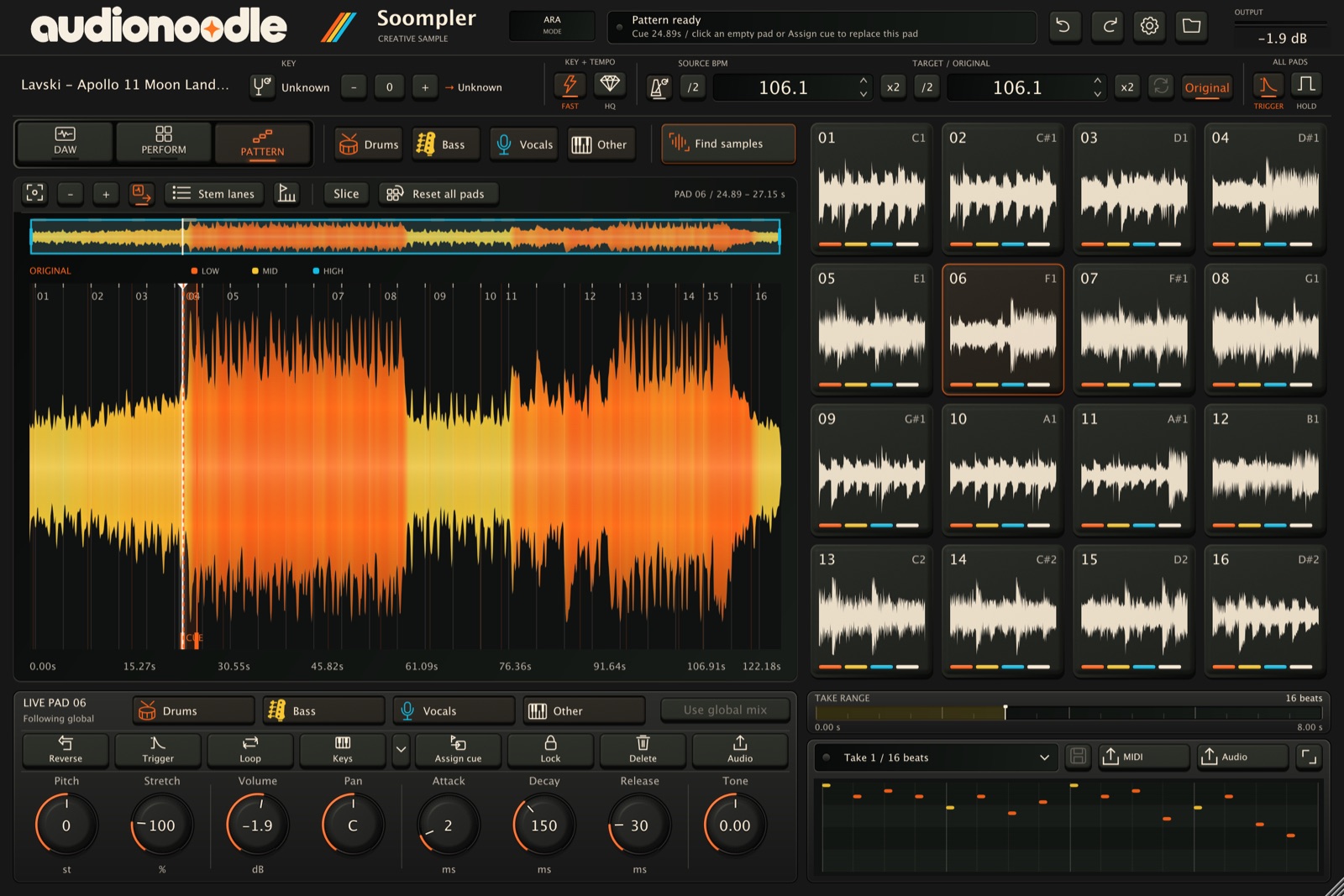
With ARA 2, Soompler reads the audio clip in your arrangement directly. Choose it as the ARA extension on a clip and your song is already loaded — key, tempo and beat grid found in the background.
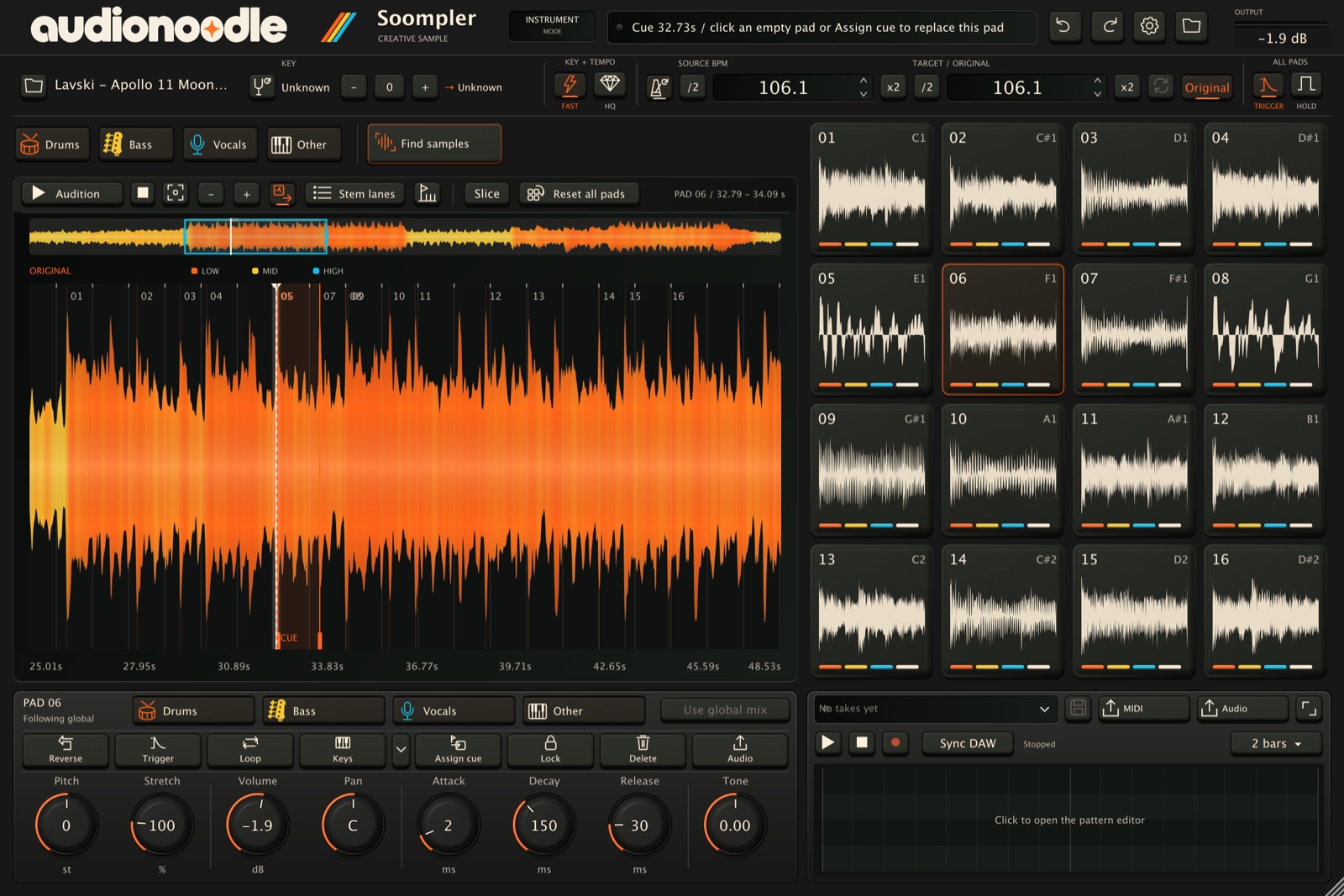
One click spreads sixteen chops across the whole track. Lock the ones you love and find again; Undo brings back the previous set.
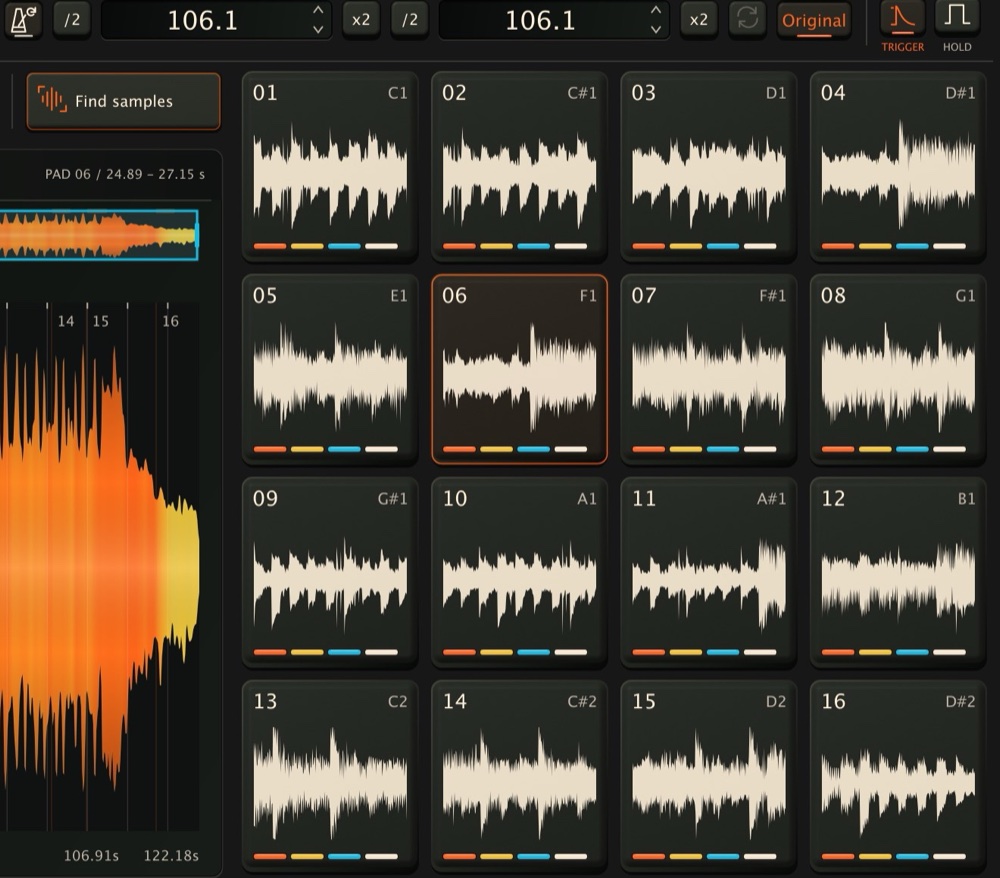
Transient slicing finds the attacks for you; grid slicing follows the detected tempo; equal parts keeps it simple. Every slice point stays editable, and Slice to pads loads them in one go.
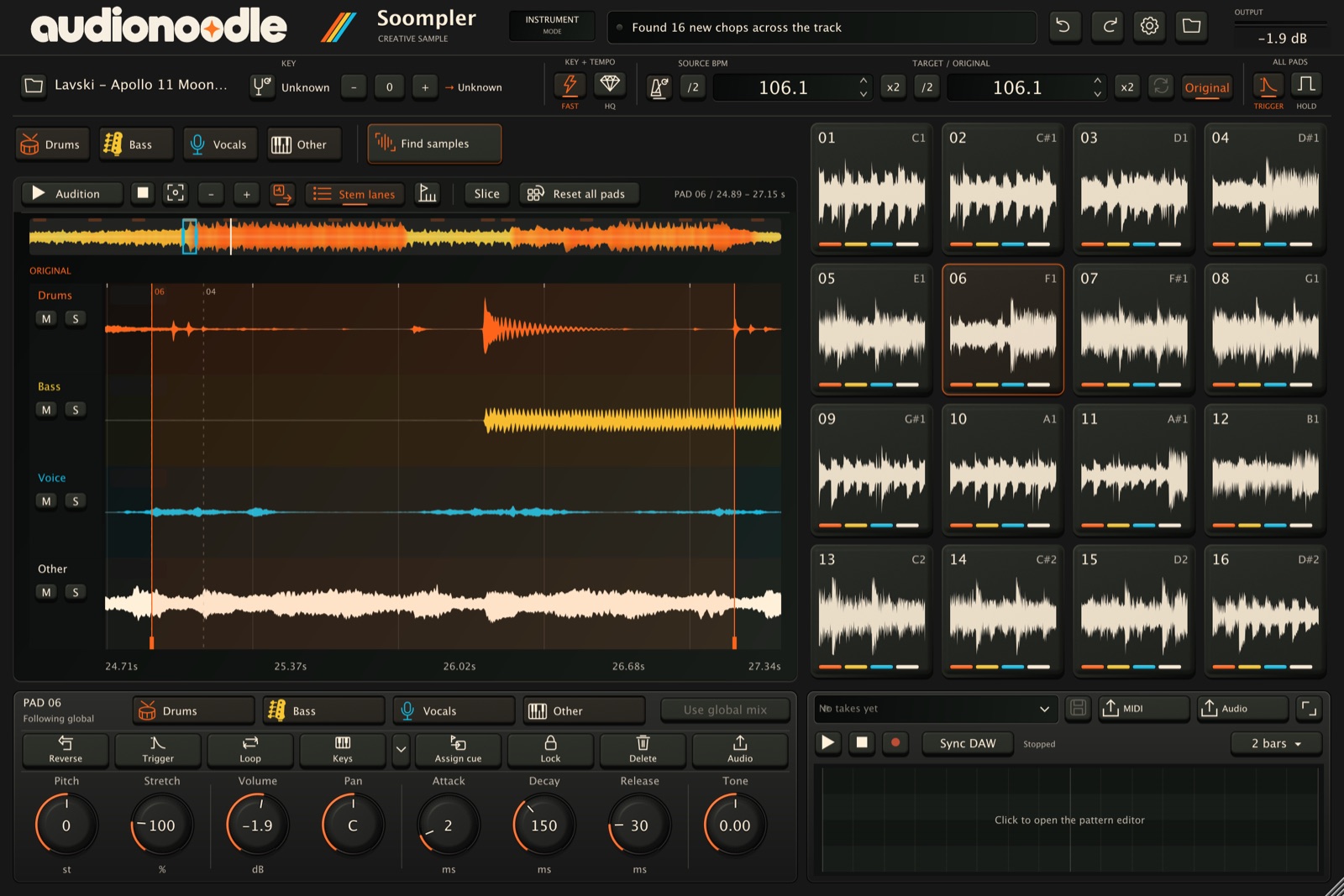
Soompler separates drums, bass, vocals and other on your Mac, in the background, while you keep chopping. Then choose which stems each pad plays — drums only here, no vocals there.
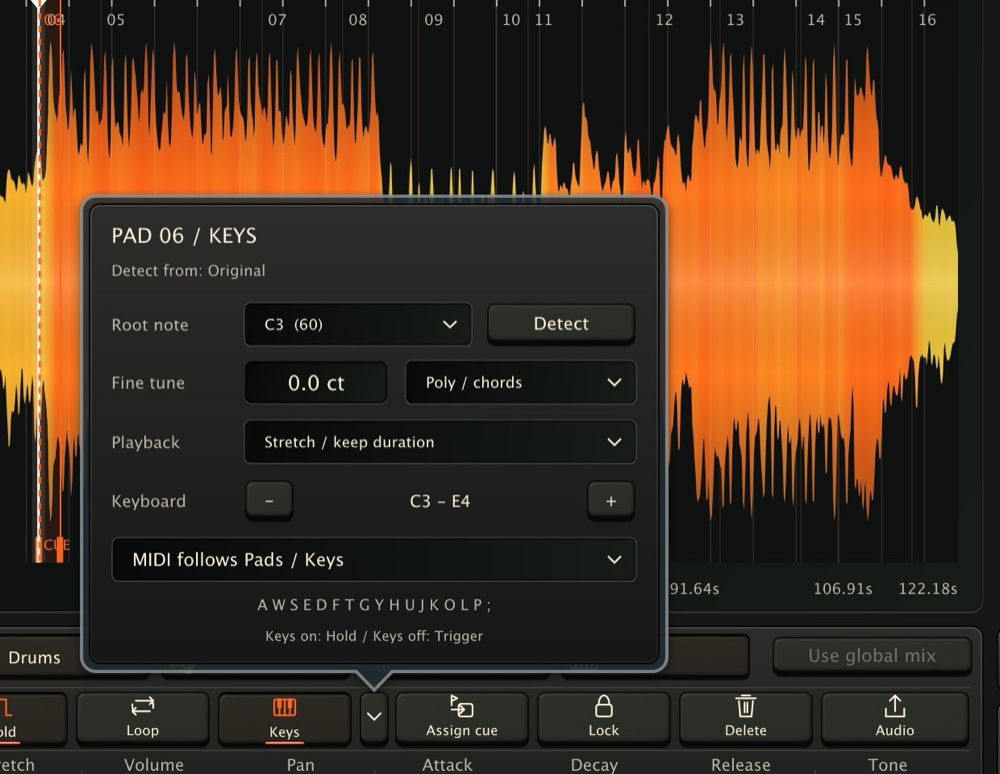
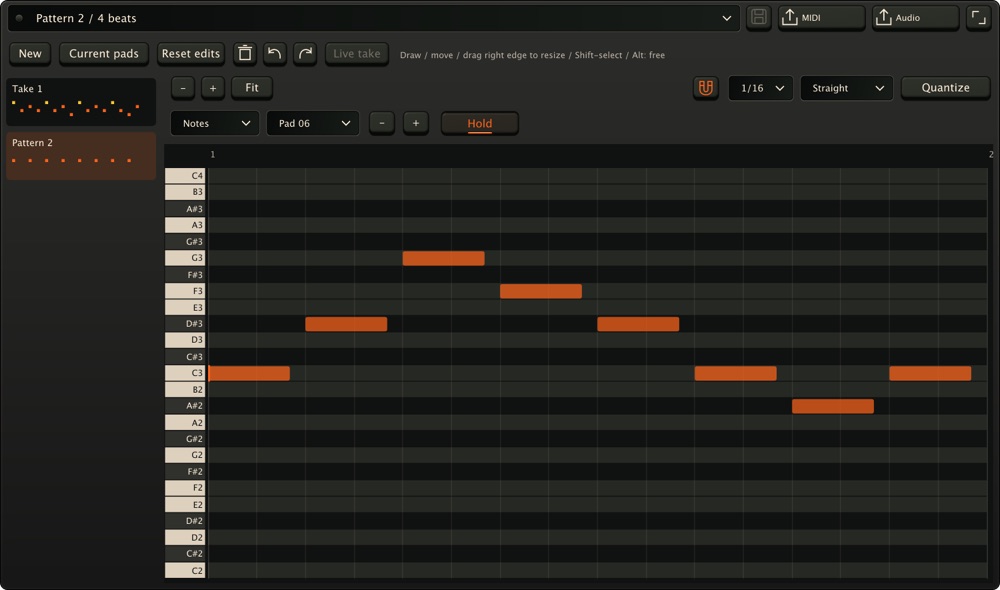
Keys detects a pad’s root note — even in quiet, decaying or bass-heavy sounds — so it plays in tune across the keyboard. Mono or chords, stretch or repitch. Then shape melodies in the Notes view of the pattern editor.
Play along with your song: in your DAW track with ARA 2, every pass of the cycle becomes a take, up to 1,024 beats. Each take keeps the exact sounds it was recorded with, so it replays the same even after you re-chop.
Every feature, free for 14 days. Early Access pricing: every 1.x update is included.
The ARA 2 sampler that chops, plays and prints right on your clip.
…
Every licence: 2 computers · online or offline activation · macOS on Apple Silicon · VST3 with ARA 2
Not working on your Mac as described? Email us within 14 days for a fix or a refund.
Want both plugins? See the bundle. Secure checkout by Moonbase (opens in a new window), our authorised reseller. Use is covered by our licence agreement. Questions? hello@audionoodle.com
Yes. Soompler is an ARA 2 extension: in any VST3 host with ARA 2 support, you open it right on an audio clip in your arrangement — no exporting, no importing. There you get the in-track workflow: your song is loaded from the clip, every pass of the DAW cycle is recorded as a take, and your take plays back on the clip.
Soompler also runs as a VST3 instrument in any VST3 host — load audio, play the pads from your DAW’s MIDI and record MIDI in your DAW — and as a standalone app with its own transport and patterns.
ARA 2 (Audio Random Access) lets a plugin see the whole audio clip in your arrangement, not just the sound passing through it as it plays. That’s why Soompler works right on the clip, with no exporting and no lining things back up.
Not yet. Logic only loads Audio Units, and on Apple Silicon it runs ARA plug-ins only under Rosetta. Our plugins are native Apple Silicon VST3s, so Logic needs both an Audio Unit version and an Intel build of our engine. It’s coming, but it isn’t here yet.
No. Stem separation and analysis run on your Mac. Activation talks to the licence server; your audio and projects never do.
Download the installer — no account is needed to download. Choose Activate inside the plugin, then sign in or create your free account to start 14 days with every feature. If you don’t buy, your projects still open, save and reload.
Stooms splits any song into drums, bass, vocals and other — and turns every stem into MIDI. Also with ARA 2.